Change Detection Made Easy
Detect changes in real-time with Verisys Integrity Suite

Verisys Integrity Suite
File Integrity Monitoring
Maintain system integrity, detecting changes as they happen, with a detailed audit trail including who, what, when and where
Compliance
Demonstrate compliance with PCI DSS, NIST SP800-171, SOX and more, with automatic tagging of events and built-in reports
Change Control
Gain visibility and control over changes across your organisation - both planned and unplanned
Focus
Noise reduction and automated change approval let you focus on changes that matter
Threat Hunting
Searchable, detailed audit trail and SIEM integration enables threat hunting at scale
Increase Security Posture
Detect zero-day attacks, achieve your security and compliance goals
File Integrity Monitoring & Change Detection
Verisys Integrity Suite is a next-generation file integrity monitoring and change detection system, providing detailed real-time information about planned and unplanned changes across your fleet of servers and workstations.
With automated compliance tagging, automated approvals, planned changes, dashboards, reporting and SIEM integration, Verisys Integrity Suite provides incredible insight into all changes across your organisation - while extraordinary noise reduction capabilities allow you to focus on changes that matter.

Compliance
File integrity monitoring is significant to many regulatory compliance requirements, including the PCI Data Security Standard (PCI DSS), NIST SP800-171, SOX, FISMA, HIPAA, NERC CIP, CoCo and more. Verisys Integrity Suite automatically tags events according to applicable compliance requirements, allowing you to demonstrate compliance with built-in reports.
Focused Events
Noise reduction, automated change approval and planned changes let you focus on changes that matter, while maintaining a complete audit trail of all changes with forensic detail.
-
Automated Approvals
Verisys Integrity Suite automatically identifies and approves authorised changes - for example, those arising from Windows updates and patches
-
Planned Changes
With Planned Changes you can define periods where authorised changes are expected on specific systems and should be automatically approved - Verisys Integrity Suite can even integrate with ServiceNow®
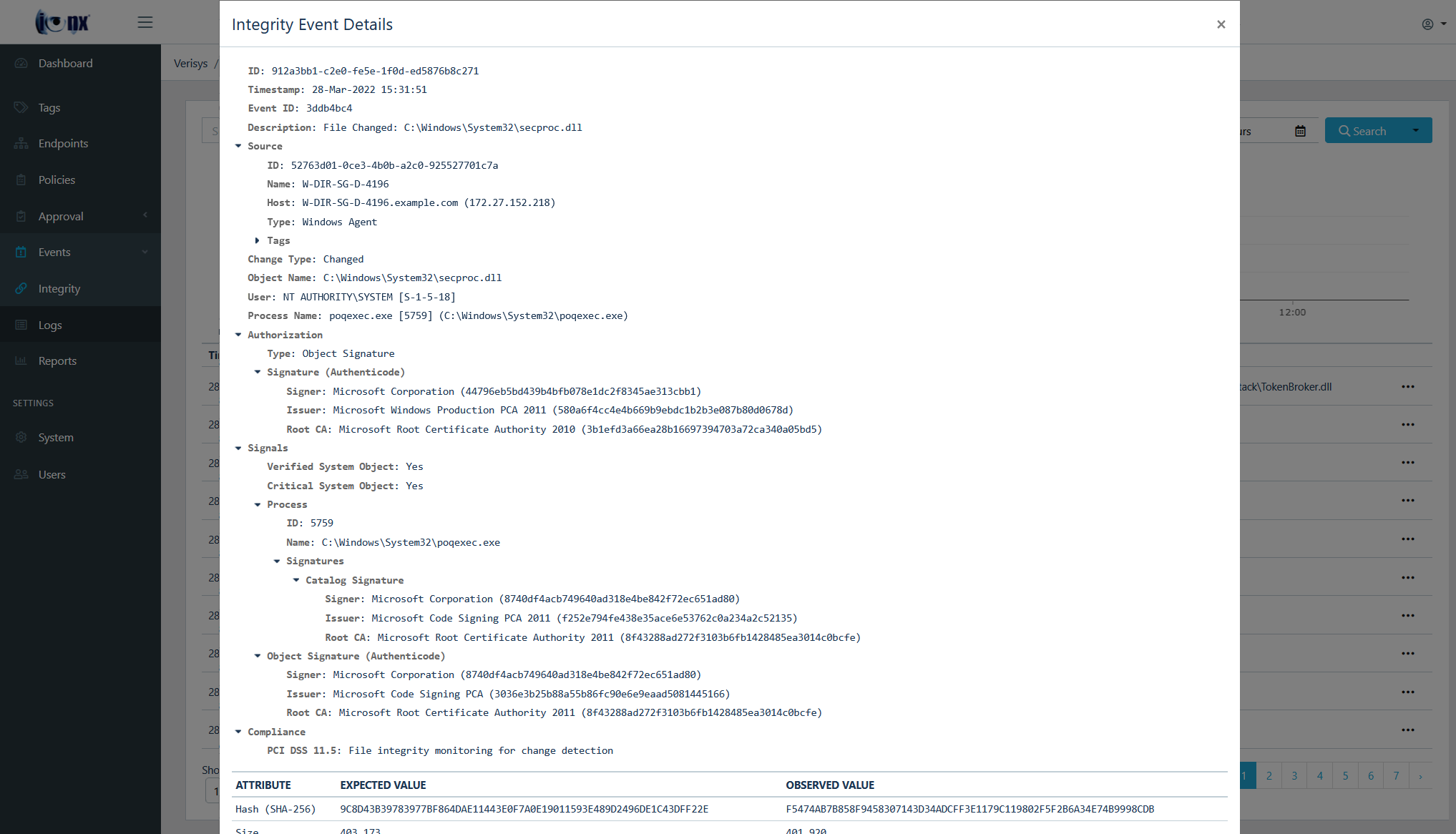
Change Visibility
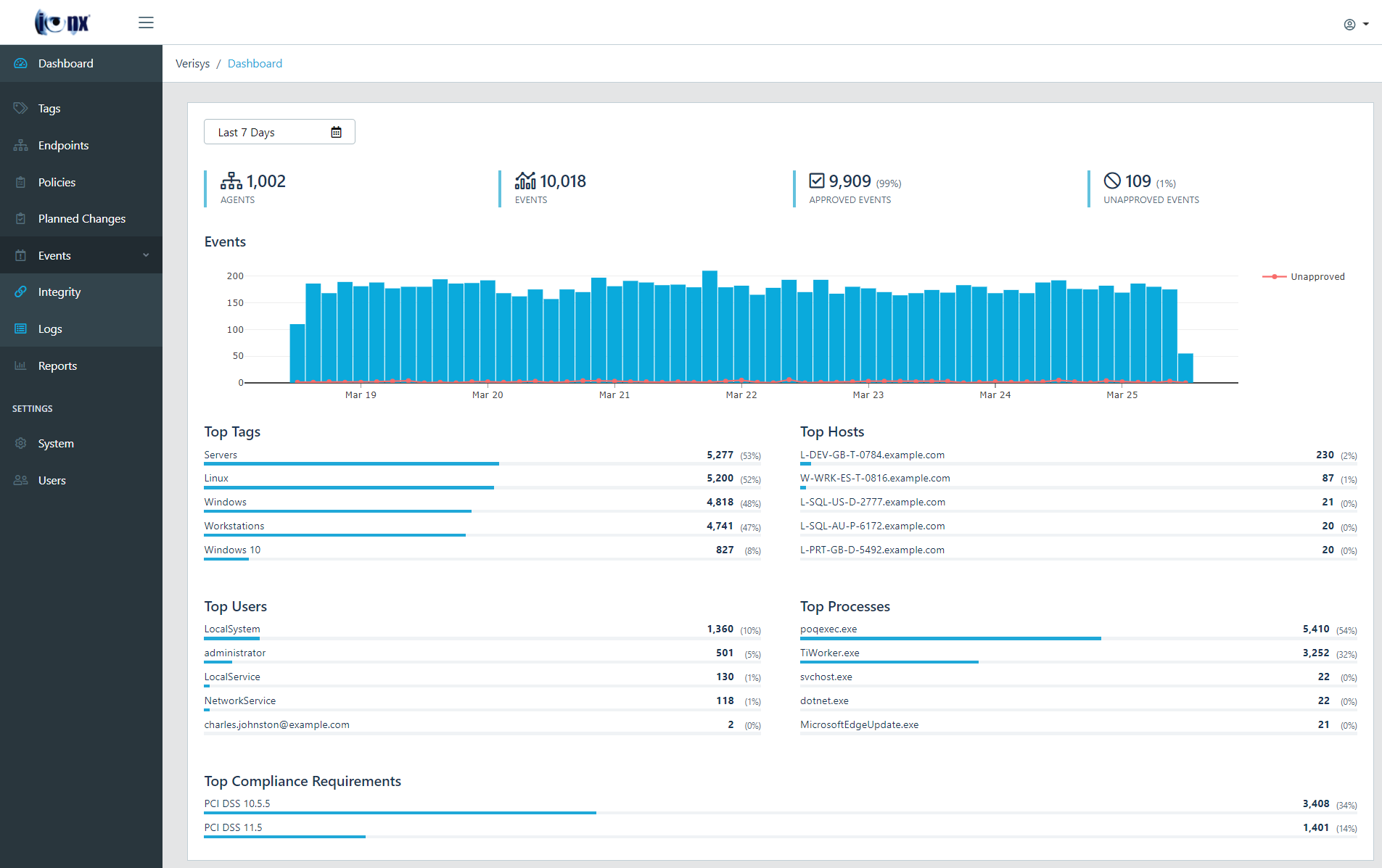
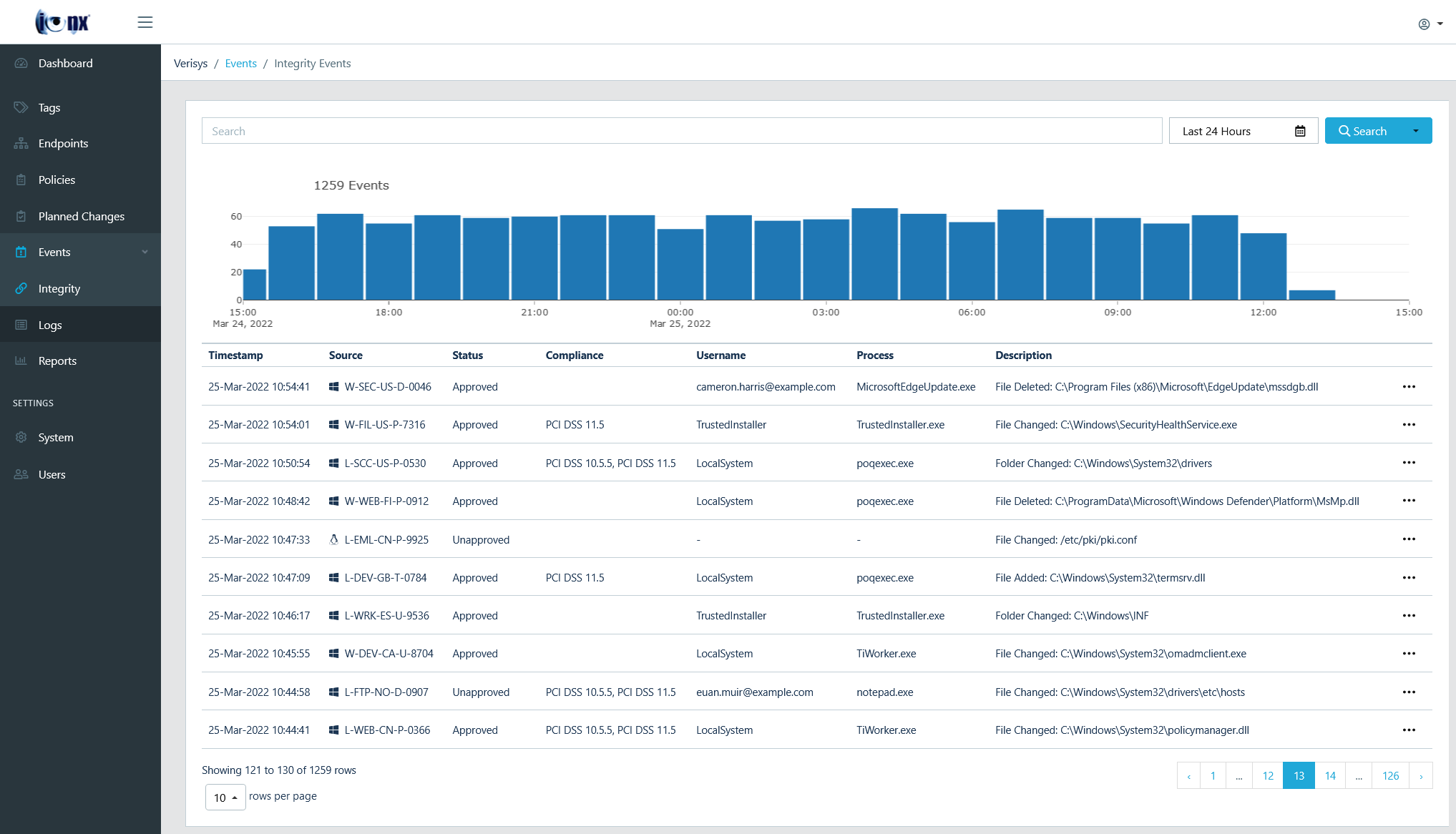
Verisys Integrity Suite provides unparalleled visibility into planned and unplanned changes across your entire organisation. The web-based Console provides easy, role-based access to centralised management, reporting and administration.
-
Searchable Event Database
A searchable event database provides a detailed audit trail of all changes, allowing you to see what was changed, where it was changed, when it was changed, and even who made the change.
-
Threat Hunting
Threat hunting capabilities also enable proactive investigations at scale - for example, you can find all files across your entire organisation that were changed by a suspicious process, detecting indicators of compromise.
SIEM & Log Management Integration
SIEM (Security Information and Event Management) and Log Management solutions are now widely deployed, enabling enterprise-wide threat detection and centralised logging.
Verisys Integrity Suite integrates with any SIEM or Log Management solution, seamlessly connecting with your existing security and compliance infrastructure, including QRadar, Splunk, Exabeam Fusion, RSA NetWitness, Microsoft Sentinel, ArcSight, Log Rhythm and more.




Products
Verisys Integrity Suite
Fully featured, real-time change detection with a detailed audit trail including who, what, when and where
Verisys FIM
Simple, specialised file integrity monitoring for Windows, Linux and Network Devices - ideal for OEMs and high-security environments
Product Comparison
| Verisys Integrity Suite | Verisys FIM | |
|---|---|---|
| File Integrity Monitoring | ||
| Real-Time Change Detection | ||
| Compliance | ||
| SIEM & Log Management Integration | ||
| ServiceNow Integration | ||
| Noise Reduction | ||
| Threat Hunting | ||
| Planned Changes | ||
| Automated Change Approval | ||
| Automated Compliance Tagging | ||
| RBAC (Role-Based Access Control) | ||
| Enterprise-Scale Deployment |
Trusted by Hundreds of Companies